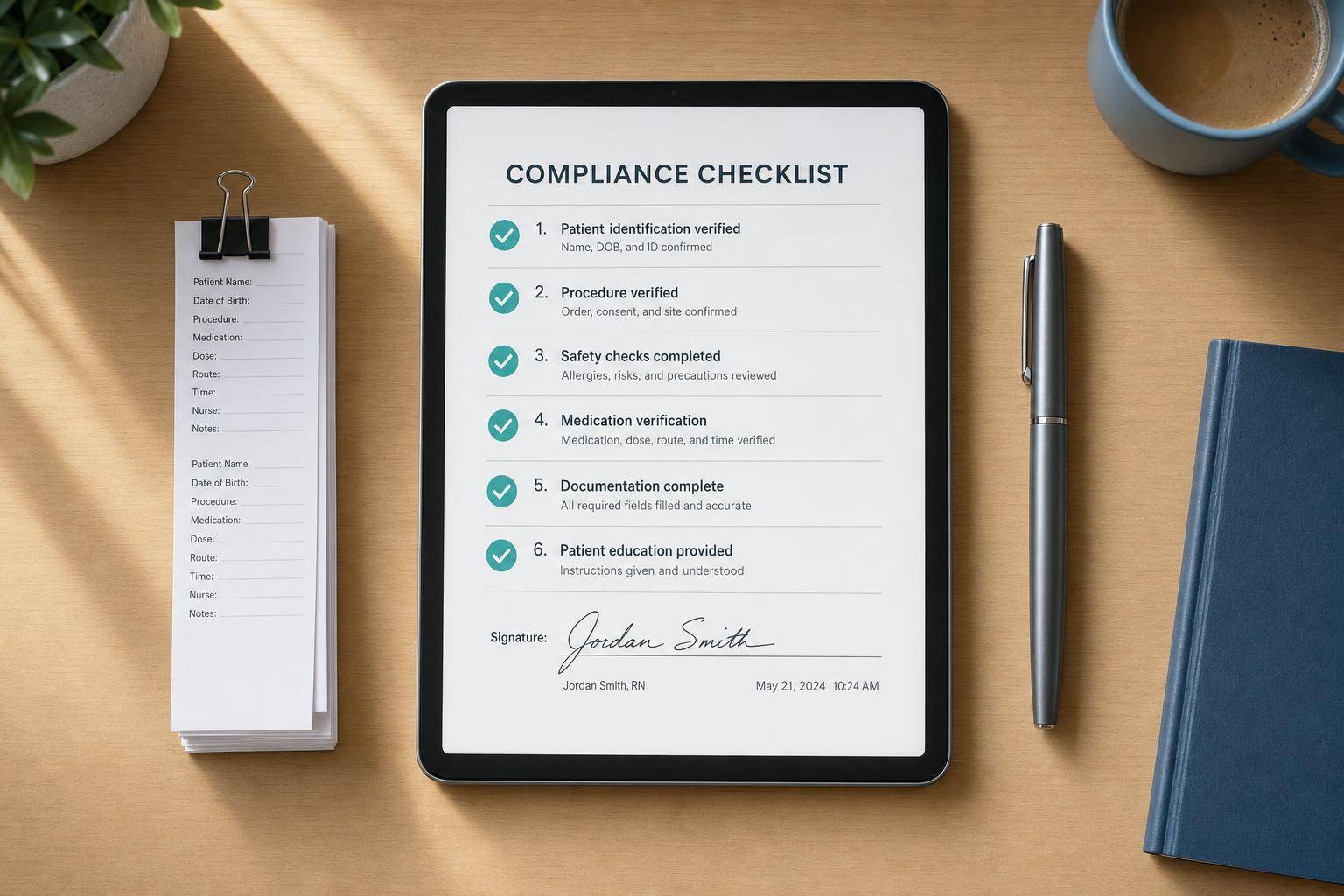
Behavioral health EHR optimization starts with the work around the record: how a visit is scheduled, documented, handed off, billed and followed up. Before replacing a system, map where those steps break down, then test changes with the teams that use them.
This is a practical checklist of ten EHR workflows for behavioral health and human services organizations, not a ranking of the “top 10%” of providers. No performance percentile or guaranteed savings is implied. If you are comparing platforms rather than improving a current configuration, see Welligent’s behavioral health EHR capabilities.
What does behavioral health EHR optimization mean?
It means configuring and measuring the clinical and administrative workflows your teams actually use: encounter-specific notes, recurring and group visits, claims, shared care plans, assessments, medication review, engagement, virtual visits, information exchange and role-based access. Optimization may involve a setting, a process change or an integration; what is possible depends on the product and your organization’s policies.
ONC’s April 2026 analysis of the 2024 National Substance Use and Mental Health Services Survey found that 68% of surveyed facilities used only an EHR, without paper charts, to maintain patient records. That does not mean they used the EHR only for recordkeeping: ONC reports substantial use for recording progress and treatment plans. Among the EHR-only facilities, 48% reported using the EHR to integrate outside information electronically; among facilities using both EHR and paper charts, it was 36%. These are different groups, not an all-facility exchange rate. ONC also reported 19% of surveyed facilities participated in an HIE. Those findings make exchange and workflow use worth examining, but they do not measure the performance of the ten practices below.
Compare 10 behavioral health EHR workflows
Open each area to compare a disconnected pattern with a configuration to evaluate, then use the practical check to test it in your organization.
Documentation
Manual or disconnected pattern
Generic note templates rely on heavy free text. Diagnoses, risks, session times and treatment goals may be buried in narrative or omitted from an encounter.
Configuration to evaluate
Evaluate encounter-specific intake, therapy, crisis, medication and discharge templates. Formats such as SOAP, DAP and BIRP can pair structured fields with room for clinical judgment; PHQ-9, GAD-7 and risk fields can stay visible in the visit record.
What to check: Walk through a completed note. Check consent, service type, start and stop times, relevant goals, required fields and a clinician-reviewed exception path. Confirm which data can be reported without reading each note manually.
Scheduling
Manual or disconnected pattern
Recurring visits are rebuilt manually, group rosters live outside the schedule and several providers may compete for the same room, time or virtual appointment. Attendance and documentation ownership can become unclear.
Configuration to evaluate
Evaluate recurring rules with cancellation and holiday exceptions, group enrollment and attendance, capacity limits, and coordinated appointments across therapists, prescribers and care coordinators. Link each participant’s encounter and charge to the correct chart.
What to check: Test a rescheduled recurring therapy series and one group visit end to end. Check provider and room conflicts, attendance, encounter ownership, reminders and the record that reaches billing.
Billing
Manual or disconnected pattern
Notes and charges travel through separate handoffs. Staff re-enter visit details or discover a missing diagnosis, modifier, unit or eligibility issue only after a claim is assembled.
Configuration to evaluate
Evaluate a note-to-charge review path that carries the encounter’s service, provider, time, diagnosis and relevant coding fields forward. Consider eligibility checks at scheduling and validation before claim submission, with a biller-to-clinician correction workflow.
What to check: Demonstrate a completed encounter, a held incomplete note and a corrected claim. Record where staff must re-enter data, how denials are categorized and who can amend the underlying documentation.
Care Coordination
Manual or disconnected pattern
Discipline-specific notes or email handoffs leave goals, safety plans and follow-up tasks scattered across records. A change in level of care may not reach the right team member.
Configuration to evaluate
Evaluate a shared, permission-aware care plan with a problem list, patient-centered goals, role-assigned interventions, crisis or safety information where appropriate, status updates and secure team tasks. Make the plan a working record rather than a static attachment.
What to check: Assign an owner and review points at intake, transitions, periodic reviews and discharge. Test a change to a goal or medication and confirm that only authorized team members see and act on the update.
Clinical Decision Support
Manual or disconnected pattern
Assessments are selected or scored manually, and generic alerts may fire without a clear response owner. Results may sit outside the note and treatment plan.
Configuration to evaluate
Evaluate previsit PHQ-9, GAD-7 or program-specific assessments that can be scored and trended within the encounter. Relevant alerts may flag a change in status or missed follow-up and direct a task to the responsible clinician.
What to check: Have clinicians set thresholds, review false positives and define what a flagged result means in their workflow. A score or alert informs assessment; it does not replace clinical judgment or establish a diagnosis.
Medication Management
Manual or disconnected pattern
A basic prescription record may be separate from medication history, transition reconciliation, laboratory review or follow-up on reported side effects. Fax and phone workarounds can obscure which list is current.
Configuration to evaluate
Evaluate a shared medication list reconciled at admission, transfer and discharge; e-prescribing and controlled-substance workflows where appropriate; PDMP review when applicable and available; and configurable interaction, allergy, monitoring and follow-up prompts.
What to check: Run a medication change through prescribing, reconciliation and the next visit. Ask which history sources, PDMP connections, lab feeds and mobile signing functions are actually supported in your jurisdiction and deployment.
Patient Engagement
Manual or disconnected pattern
A read-only portal or one-way reminder leaves appointment changes to phone calls. Previsit forms and messages may be handled in separate queues with no clear response expectation.
Configuration to evaluate
Evaluate preference-aware SMS, email or phone reminders with confirmation, cancellation and rescheduling options; digital intake or previsit assessments; and secure messaging connected to the care team’s workflow. Caregiver access needs consent and role checks.
What to check: Test an appointment change and a nonurgent portal message. Set response ownership and an urgent-issue route; do not use portal messaging as an emergency channel. Measure attendance against a local baseline.
Telehealth & Mobile
Manual or disconnected pattern
A separate video app can require another login and manual movement of appointment details, notes and follow-up tasks. Field staff may document later from memory when secure mobile chart access is unavailable.
Configuration to evaluate
Evaluate virtual visits launched from the schedule or chart, with documentation, permitted prescribing, encounter billing and follow-up in the same workflow. For authorized field or remote access, review mobile-friendly charting and device safeguards.
What to check: Test consent, patient and clinician location where required, privacy checks, modality, emergency protocol and handoff to the care plan. Confirm authentication, timeouts and device controls; assess which visit types are clinically suitable for virtual care.
Interoperability
Manual or disconnected pattern
Outside discharge records, eligibility responses or medication changes may arrive as fax or scanned documents and wait for manual routing. Receiving data alone does not ensure anyone follows up.
Configuration to evaluate
Evaluate partner-supported exchange with hospitals, primary care, labs, pharmacies, payers and HIEs. Ask about HL7 v2, FHIR, C-CDA and X12 as relevant evaluation criteria, not assumed integrations. When available, an ADT event or eligibility response should route to an authorized review or outreach task.
What to check: Demonstrate a real partner connection, its latency and the task it triggers. Verify consent, access controls and disclosure logging for sensitive records with privacy leaders, including any applicable 42 CFR Part 2 requirements.
Training & Security
Manual or disconnected pattern
One-time onboarding and broad permissions leave teams with workflows they seldom practice and access they may no longer need after a role change.
Configuration to evaluate
Evaluate training by role for clinicians, schedulers, billers and supervisors, plus local super-users and feedback-driven refreshers. Pair least-privilege access with periodic reviews, audit logs, multifactor authentication and prompt offboarding under organizational policy.
What to check: Have each role complete a real task, not just attend a class. Test who can view sensitive records, how access changes after a transfer or departure and how the organization reviews inappropriate access or a reported incident.
These are evaluation prompts, not a ranking or evidence that one configuration produces a particular result. Confirm actual features, partner connections and policies for your setting.
At a glance: EHR workflow configurations to evaluate
The comparison shows possible workflow designs, not measured differences between “average” and “top” organizations. Verify each capability in your own EHR and care setting.
| Area | Manual or disconnected pattern | Configuration to evaluate |
|---|---|---|
| Documentation | Generic notes, heavy free text | Structured behavioral health templates |
| Scheduling | Manual recurring visits, weak group support | Recurring, group, and shared-care scheduling |
| Billing | Separate from clinical work | Charges linked to note completion |
| Coordination | Notes split by role | One shared care plan |
| Assessments | Manual scoring | Auto-scored tools in workflow |
| Medication | Basic prescribing | Prescribing, PDMP review where applicable, reconciliation and alerts |
| Patient follow-through | Basic reminders | Two-way reminders, portal, messaging |
| Telehealth | Separate app | Built into the EHR workflow |
| Interoperability | Fax and scans | Authorized electronic exchange and follow-up tasks |
| Training & privacy | One-time training, broad access | Role-based training and tighter access |
Less admin.
Stronger teams.
Better client outcomes.
See how behavioral health organizations streamline documentation, staffing, and client engagement with ContinuumCloud.
Which solution would you like to explore?
10 behavioral health EHR workflows to review
1. Tailor documentation templates to encounter type
Map intake, individual and group therapy, crisis, medication visits, care coordination and discharge separately. Pair structured fields for diagnoses, assessments, service details and treatment-plan goals with space for clinically relevant narrative. Test whether prompts capture required details without forcing irrelevant fields or copy-and-paste. Have clinical, billing and privacy leads review changes before rollout.
2. Configure recurring, group and shared scheduling
Check recurring visit rules, cancellation and rescheduling paths, provider and room conflicts, group attendance, and which clinician owns each encounter. Compare the schedule with actual visit documentation and charge capture. Track no-shows by visit type against your own baseline rather than assuming a universal reminder effect.
3. Connect encounter documentation to billing review
Review the handoff from completed notes to charges, coding checks, eligibility and claim submission. Give billers a way to flag missing encounter data and clinicians a way to correct it under policy. Monitor first-pass claim acceptance, denial reasons and days in accounts receivable; do not infer a denial reduction or revenue gain from configuration alone. Explore behavioral health billing and revenue cycle workflows when evaluating the product fit.
4. Keep one current care plan across permitted team roles
Define who maintains goals, interventions, tasks and follow-up, then test how updates appear to authorized clinicians and care coordinators. Build a handoff process for changes in level of care and discharge. Shared access should respect consent and role restrictions rather than exposing the entire chart to everyone.
5. Put assessments and alerts into the visit flow
Determine whether the team can administer, score and review instruments such as PHQ-9 and GAD-7 in context. Decide who responds to a flagged result and how it is documented. Clinicians set the clinical thresholds and review alerts; a score or automated alert is not a diagnosis or a substitute for clinical judgment.
6. Make medication review part of the chart workflow
At transitions, review the medication list and reconcile changes with appropriate sources. Assess e-prescribing, controlled-substance prescribing and PDMP access only where applicable and supported. Confirm the relevant state rules and professional responsibilities with the prescribing and compliance teams; no EHR setting by itself ensures compliant prescribing.
| Feature | Manual pattern to assess | Configuration to evaluate |
|---|---|---|
| Medication History | Medication history gathered manually | Available medication-history sources reviewed and reconciled |
| Prescribing | Paper-based or siloed e-prescribing | EPCS and PDMP workflow when applicable and supported |
| Medication Reconciliation | Manual reconciliation by fax or phone | Shared medication list at admission, transfer, and discharge |
| Safety Checks | Interaction, allergy, and dose-range alerts | Real-time CDS for interactions & contraindications |
7. Offer appropriate appointment and portal follow-up
Test reminder preferences, confirmation, cancellation and rescheduling; then measure attendance over time. A portal may help with previsit forms, messages and appointments, but availability and caregiver permissions vary. Define response expectations and an urgent-issue route so secure messaging is not mistaken for emergency care.
8. Keep telehealth and mobile documentation connected
Trace a virtual encounter from booking to chart review, documentation, prescriptions when appropriate and follow-up tasks. For field and remote access, review authentication, device controls and permissions. Clinical suitability, consent, location and billing requirements depend on the visit and jurisdiction; have the responsible teams set those policies.
9. Turn permitted data exchange into a follow-up action
Test whether available outside records, hospital notifications, laboratory results or eligibility responses reach the right authorized team member and create a review or outreach task when needed. Confirm partner connectivity and actual data availability before promising real-time exchange. For records subject to 42 CFR Part 2, HHS explains the applicable confidentiality and consent framework; work with counsel and privacy leaders on which records and disclosures are in scope. Part 2 is not a blanket rule for every behavioral health record, nor does one segmentation technology alone establish compliance.
10. Train by role and review access
Give clinicians, schedulers, billers and supervisors task-based training on the workflows they use. Appoint local support owners, revisit settings after feedback and review permissions when roles change. Audit access according to organizational policy; measure adoption with real task completion, not just training attendance.
Configuration comparison: questions for an EHR workflow audit
These examples are evaluation prompts, not outcomes demonstrated by a comparative study.
| EHR Area | Common Setup | Configuration to evaluate |
|---|---|---|
| Documentation Templates | Generic medical templates adapted from primary care; heavy free-text entry | Behavioral health–specific templates (SOAP, DAP, BIRP) with embedded PHQ-9, GAD-7, and risk fields |
| Scheduling | Single-provider appointments; recurring visits scheduled manually; no group session logic | Recurring appointments tied to treatment plans; group scheduling with attendance tracking; multi-provider visit support |
| Billing & Revenue Cycle | Clinical and billing workflows in separate systems; manual charge entry; limited denial tracking | Charge capture linked to completed encounters; embedded eligibility checks; real-time A/R dashboards |
| Shared Care Plans | Isolated notes per provider; coordination via email or hallway conversations | Centralized care plans with assigned tasks, team-visible goals, and secure internal alerts |
| Clinical Decision Support | Basic medication alerts only; assessments selected and scored manually | Auto-scored validated instruments; alerts for elevated risk scores or missed visits; guided next-step workflows |
| Medication Management | Basic e-prescribing; limited lab integration; no structured adherence tracking | Medication reconciliation; lab monitoring alerts; refill and adherence outreach workflows |
| Patient Engagement | Basic portal for viewing appointments; inconsistent reminder setup | Multi-channel reminders (SMS, email, phone); secure messaging; digital intake and pre-visit screenings |
| Telehealth & Mobile Access | Telehealth added as a separate tool; limited mobile EHR access for clinicians | Telehealth integrated into scheduling, documentation, and billing; mobile access for field-based and remote staff |
| Interoperability | Fax and scanned documents for external sharing; minimal HIE participation | Electronic exchange with hospitals and primary care; HIE participation; Exchange and reporting methods confirmed by each partner |
| Training & Security | One-time go-live training; broad system access for most staff | Role-based training tracks; designated super-users; role-based access controls with regular audits |
How to improve EHR workflows without replacing the system
First, map one encounter from scheduling through follow-up with the people who do the work. Record where information is re-entered, where a handoff stalls and which current capabilities are available. Then set a local baseline for note completion time, claim acceptance, denial reasons, appointment attendance and unresolved tasks. Pilot one or two changes in a defined program, review privacy and billing implications, and compare the same measures before expanding. Some gaps may require product changes or integrations rather than configuration.
| Phase | Focus | Actions |
|---|---|---|
| First phase | Audit & prioritize | Form a cross-functional team; map top pain points by role; inventory templates, order sets, assessments, user permissions, and reporting; set a baseline and select a locally appropriate target |
| Pilot phase | Pilot & configure | Update behavioral health note templates; adjust recurring and group scheduling logic; embed standardized screenings; pilot the highest-impact items from the list above in one department first |
| Review phase | Expand & measure | Roll out workflow changes across targeted teams; compare metrics against baseline; assign super-users; refresh training by role |
The phases are an example sequence, not a promised timeline or result. Confirm scope, resources and any billing continuity plan with your own teams.
Frequently asked questions about behavioral health EHR optimization
How do we tell whether a workflow needs optimization?
Look for repeated data entry, delayed notes, manual scheduling fixes, unclear care-plan ownership, rejected claims or outside information that cannot reach an authorized user. Map the steps and compare your own baseline measures before attributing the problem to software or staff.
Which EHR workflow should we fix first?
Choose a frequent, observable bottleneck that clinical and operational staff can review together. Documentation-to-billing handoffs or recurring visit scheduling may be useful starting points, but the priority depends on your programs and baseline data.
Can we improve EHR performance without replacing the system?
Often, yes: teams can assess templates, scheduling, task ownership, training and supported integrations first. If a critical workflow is unavailable or cannot be configured safely, compare alternatives on verified capabilities and implementation needs rather than assuming replacement is always necessary or never necessary.
What should a behavioral health EHR workflow evaluation include?
Ask vendors to demonstrate an end-to-end encounter for your program: scheduling, note, treatment plan, role-based handoff, claim review, patient follow-up and permitted data exchange. Request an explanation of what is native, configurable, integrated or outside scope. Review Welligent’s EHR overview for its documented clinical, scheduling, billing, telehealth and reporting capabilities, then confirm your specific use case in a demonstration.
Bottom line: measure how the EHR supports care and operations before and after each change. The goal is a better-fit workflow, not a claimed “top 10%” status or a guaranteed clinical, financial or compliance result.